


Why are my new progressive lenses causing blurriness in meetings?
For over two decades in the dynamic world of eyewear fashion and optometry, I've heard this exact question countless times: "Why are my new progressive lenses causing blurriness in meetings?" It's a common, often frustrating, experience for many individuals transitioning to or even upgrading their progressive lenses. You invest in cutting-edge vision technology, expecting seamless sight, only to find yourself squinting at presentations or struggling to read colleagues' expressions across the table.
This isn't just a minor annoyance; it can significantly impact your professional confidence and productivity. The unique visual demands of a meeting environment—shifting focus from a distant screen to notes up close, then to faces at an intermediate distance—can expose the specific challenges of progressive lens adaptation.
In this definitive guide, I'll peel back the layers of this common problem. You'll gain a deep understanding of why this blurriness occurs, armed with actionable frameworks, real-world insights, and expert advice to not only alleviate the issue but to ensure comfortable, crystal-clear vision in every meeting and beyond. Let's get your vision optimized.
Understanding Progressive Lenses: A Quick Refresher
Before we dive into the 'why,' it's crucial to understand the ingenious design of progressive lenses. Unlike bifocals, which have a distinct line separating distance and near vision, progressive lenses offer a seamless transition between three primary vision zones: distance (top), intermediate (middle), and near (bottom). This design eliminates the visible line, providing a more natural and youthful appearance.
However, this smooth transition is achieved through a "corridor" of vision, which gradually changes power. While the central portion of the corridor provides clear vision, the periphery of the lens often contains some level of distortion or blur. Your brain needs to learn to navigate this corridor, using specific head and eye movements to find the sweet spot for each viewing distance.
The Core Culprit: Unoptimized Fitting and Prescription Accuracy
In my experience, the number one reason why new progressive lenses are causing blurriness in meetings often boils down to improper fitting or an inaccurate prescription. Progressive lenses are highly individualized optical instruments, far more so than single-vision lenses. Their optimal performance hinges on extremely precise measurements taken during the dispensing process.
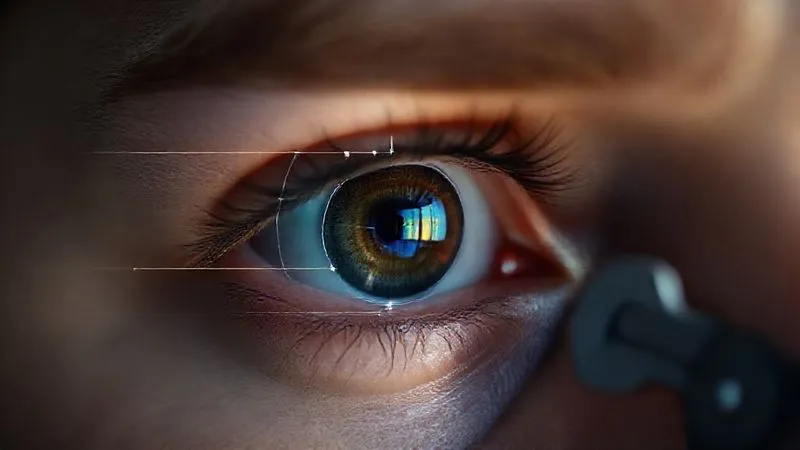
Crucial measurements like pupillary distance (PD), optical center (OC) height, pantoscopic tilt (the angle of the frame relative to your face), and vertex distance (the distance from the lens to your eye) all dictate where the various power zones will sit relative to your pupils. If these measurements are even slightly off, the intermediate zone—which is vital for meeting tasks like viewing computer screens or colleagues across a table—can be displaced, leading to significant blurriness and discomfort.
Expert Insight: "A progressive lens is only as good as its fitting. Even the most advanced lens technology will underperform if it's not perfectly calibrated to the wearer's unique facial anatomy and visual habits."
Furthermore, an updated or new prescription might have subtle changes that, when combined with the complex optics of a progressive lens, require a re-evaluation of the frame's fit. A frame that worked perfectly for your old single-vision lenses might not be ideal for your new progressives. This meticulous attention to detail is what separates a truly excellent eyewear experience from a frustrating one.
Case Study: Sarah's Blurry Boardroom Blues
Sarah, a marketing director in her late 40s, came to me distraught. She had recently received new progressive lenses and found her vision in boardroom meetings unbearable. Presentations on the wall screen were fuzzy, and reading her laptop during discussions was a constant strain, causing headaches by midday. Her initial optician had assured her the prescription was correct and it was just "adaptation."
Upon re-evaluation, we discovered her optical center height was off by 2mm, and her frame had a slight pantoscopic tilt that hadn't been accounted for. These seemingly minor discrepancies meant her intermediate zone was sitting too low, forcing her to constantly tilt her head back in an unnatural and uncomfortable way to find clear vision. We adjusted her frame, and after a week, her blurriness in meetings vanished. She could comfortably view her screen and engage with colleagues, her productivity and confidence restored. This highlights why understanding why new progressive lenses are causing blurriness in meetings is so important.
The Intermediate Zone Challenge: Your Meeting Vision Sweet Spot
Meetings are unique visual environments. Unlike driving (distance) or reading a book (near), meetings often demand prolonged, clear vision at intermediate distances—think computer monitors, tablets, whiteboards, or the faces of colleagues across a conference table. This intermediate zone, or the "progression corridor," is the narrowest part of a progressive lens.
Many standard progressive lens designs prioritize distance and near vision, with a relatively compact intermediate zone. If your work environment, especially your meeting setup, heavily relies on this intermediate range, a standard progressive lens might simply not provide a wide enough or comfortable enough viewing area. This is a crucial factor in why new progressive lenses are causing blurriness in meetings.
| Lens Type | Distance Zone Width | Intermediate Zone Width | Near Zone Width |
|---|---|---|---|
| Standard Progressive | Wide | Moderate/Narrow | Moderate |
| Office/Computer Progressive | Limited/None | Wide/Expanded | Wide |
| Free-Form Progressive | Customizable | Customizable | Customizable |
As you can see from the table, specialized lens designs exist to address this very issue. Understanding the visual demands of your daily tasks, particularly in meetings, is paramount to selecting the right progressive lens design.
Adaptation Period: The Brain's Role in Visual Processing
Even with a perfect prescription and fitting, new progressive lenses require an adaptation period. Your brain has spent years, perhaps decades, processing visual information in a certain way. Introducing progressive lenses means teaching your brain new pathways and eye-head coordination movements to utilize the different power zones effectively.
During this initial phase, it's common to experience some spatial distortion, a "swimming" sensation, or blurriness, especially when looking through the peripheral areas of the lens. Meetings, with their dynamic visual requirements, can exacerbate these temporary adaptation challenges. According to a study published by the American Optometric Association, the average adaptation period for new progressive lens wearers can range from a few days to two weeks, though some individuals may take longer.
- Wear them consistently: The more you wear your new progressives, the faster your brain will adapt. Avoid switching back to old glasses, as this confuses your visual system.
- Practice head movements: Instead of just moving your eyes, learn to move your head to point your nose at what you want to see clearly. This ensures you're looking through the correct zone.
- Start with familiar environments: Begin using them at home or in less visually demanding situations before tackling a complex meeting.
- Read and use screens: Actively practice reading and using digital devices to familiarize yourself with the near and intermediate zones.
- Walk around: Practice walking up and down stairs, being mindful of looking through the distance portion of the lens.

Environmental Factors: Lighting, Screen Placement, and Posture
Sometimes, the lenses aren't the sole issue; your environment plays a significant role in why new progressive lenses are causing blurriness in meetings. Poor lighting, incorrect screen placement, and suboptimal posture can all contribute to visual discomfort and blurriness, especially when wearing progressive lenses.
- Lighting: Inadequate or harsh lighting can cause glare on your lenses or strain your eyes, making it harder to find the clear zones. Ensure your meeting room has balanced, diffused lighting.
- Screen Placement: For intermediate vision, your computer monitor should typically be about an arm's length away, with the top of the screen at or slightly below eye level. This allows you to view the screen comfortably through the intermediate zone without excessive head tilting.
- Posture: Slouching or craning your neck can throw off the alignment between your eyes and the lens zones. Maintain an upright, comfortable posture, allowing your head to make natural, subtle movements to access the different powers.
Expert Tip: "Optimizing your workstation ergonomics is not just about comfort; it's a critical component of maximizing the performance of your progressive lenses, especially for prolonged screen time."
For more detailed insights on ergonomic setup, consult resources like the Occupational Safety and Health Administration (OSHA) guidelines on computer workstations.
Choosing the Right Lens Design: Beyond Standard Progressives
The world of progressive lens technology has advanced dramatically. If you're frequently experiencing blurriness in meetings, it might be time to consider a more specialized lens design. Not all progressive lenses are created equal, and some are specifically engineered for particular visual tasks.
- Digital Free-Form Lenses: These are custom-made using advanced computer-controlled surfacing equipment. They offer wider fields of vision and significantly reduced peripheral distortion compared to conventional progressives. This customization means the lens can be optimized for your unique prescription, frame, and even your dominant eye, leading to a much smoother visual experience.
- Office or Computer Progressive Lenses: These lenses are specifically designed for extended intermediate and near vision. They typically have a very wide intermediate zone and a generous near zone, often at the expense of the distance portion (which might be limited or absent). They are ideal for desk-bound professionals who spend hours on computers and in meetings but don't need sharp distance vision across the room.
- High-Definition (HD) Progressives: Similar to free-form, these lenses offer superior clarity and contrast. They are often combined with anti-reflective coatings to further enhance visual comfort, especially under office lighting conditions.
As leading lens manufacturers like Zeiss emphasize, lens design directly impacts visual comfort and performance. Discussing your specific daily activities, especially your meeting habits, with your optician is key to selecting the ideal lens.
When to Consult Your Optician: Don't Suffer in Silence
While some blurriness during the adaptation period is normal, persistent discomfort, headaches, dizziness, or a "swimming" sensation are not. If you've given your new progressive lenses a fair adaptation period (typically 1-2 weeks of consistent wear) and are still struggling, especially with the question of why new progressive lenses are causing blurriness in meetings, it's absolutely crucial to schedule a follow-up appointment with your optician.
Don't hesitate or feel like you're being a nuisance. A good optician understands that progressive lens success is a partnership. During your follow-up, they should re-check your prescription, re-verify all fitting measurements, and assess the frame's position on your face. They might even observe your posture and eye movements as you simulate reading a screen or document.
It's possible that a minor adjustment to the frame, a re-take of a measurement, or even a different lens design could make all the difference. Be prepared to articulate precisely when and where the blurriness occurs, and what specific tasks are challenging. This detailed feedback is invaluable for troubleshooting.
| Symptom | Action |
|---|---|
| Persistent Blurriness (after 2 weeks) | Schedule follow-up with optician, re-check prescription & fitting. |
| Headaches/Dizziness | Immediate optician consultation, could indicate significant fitting/prescription error. |
| 'Swimming' Sensation | Normal during early adaptation; if persistent, re-check fitting. |
| Difficulty with specific tasks (e.g., computer) | Discuss with optician, consider task-specific lens design (e.g., office progressives). |
Remember, your visual comfort and clarity are paramount. For general eye health and finding a qualified eye care professional, resources like the American Academy of Ophthalmology's eye health information can be beneficial.
Practical Strategies for Clear Vision in Meetings
Beyond the technical aspects of lens design and fitting, there are practical strategies you can employ to maximize your progressive lens performance in meetings:
- "Point Your Nose" Technique: Instead of just moving your eyes, learn to move your head to point your nose directly at the object you want to view clearly. This ensures you're looking through the optimal part of the progressive corridor for that specific distance.
- Optimize Your Seating: If possible, choose a seat that allows you to maintain an ideal distance from screens or whiteboards, reducing the need for extreme head movements.
- Adjust Screen Settings: Don't be afraid to adjust the font size or zoom level on your computer or tablet. Making text slightly larger can significantly improve readability through the intermediate and near zones of your lenses.
- Be Mindful of Peripheral Vision: Understand that the edges of your progressive lenses will have some distortion. Avoid rapid side-to-side eye movements for critical tasks; instead, use the "point your nose" technique.
- Take Breaks: Prolonged visual tasks, especially with new progressives, can lead to eye strain. Implement the 20-20-20 rule: every 20 minutes, look at something 20 feet away for at least 20 seconds.

Frequently Asked Questions (FAQ)
How long should adaptation to new progressive lenses take? Typically, most people adapt within 1-2 weeks of consistent wear. Some may take a bit longer, especially if their prescription changed significantly or if they are new to progressives. If blurriness or discomfort persists beyond this period, it's time to see your optician.
Can my prescription be wrong if my new progressive lenses are causing blurriness in meetings? Yes, it's a possibility. While adaptation is common, an incorrect prescription (even slightly off) or inaccurate fitting measurements can significantly contribute to blurriness, especially in the nuanced intermediate zone used in meetings. Always have it re-checked if problems persist.
Are there different types of progressive lenses specifically for office work? Absolutely. Many manufacturers offer "office" or "computer" progressive lenses. These designs prioritize a wider and more comfortable intermediate and near zone, making them ideal for prolonged screen use and desk work, though they may have a limited or no distance vision component.
Should I wear my old glasses during the adaptation period for new progressives? It's generally advised to wear your new progressive lenses consistently. Switching back and forth between old and new glasses can confuse your brain and prolong the adaptation process. The more you wear them, the faster your visual system will learn to navigate the different zones.
What's the difference between standard and free-form progressive lenses? Standard progressive lenses are mass-produced with a fixed design. Free-form (or digital) progressive lenses are custom-made using advanced computer technology, optimizing the lens surface for your specific prescription, frame, and individual measurements. This results in wider fields of vision, less peripheral distortion, and a more personalized, comfortable experience.
Key Takeaways and Final Thoughts
Navigating the world with new progressive lenses, especially in demanding environments like meetings, can initially feel challenging. But with the right understanding and approach, clear and comfortable vision is absolutely achievable. Let's recap the most critical actionable advice:
- Prioritize Precision: Ensure your progressive lenses are precisely fitted and your prescription is accurate. Even minor discrepancies can cause significant issues.
- Understand Your Zones: Recognize that meetings heavily rely on the intermediate vision zone, and some lens designs are better suited for this.
- Embrace Adaptation: Give your brain time to adjust, wearing your lenses consistently and practicing proper head movements.
- Optimize Your Environment: Adjust lighting, screen placement, and posture to support optimal progressive lens performance.
- Consider Specialized Lenses: Explore digital free-form or office-specific progressive lenses if your work demands it.
- Communicate with Your Optician: Don't hesitate to seek professional guidance if blurriness persists beyond the adaptation period.
Your new progressive lenses are a powerful tool for visual freedom. By addressing the potential issues proactively and working closely with your eye care professional, you can overcome the initial hurdles and enjoy clear, comfortable vision in every meeting, every day. Here's to seeing your world, and your career, with crystal clarity!
Recommended Reading
- 7 Expert Strategies: Advising Clients on Eyewear Beyond Trends
- 5 Steps: Integrating Gut Health Protocols into Your Spa's Facial Menu
- The Ultimate Guide: How to Preserve Haute Couture Runway Masterpieces Forever
- Beat Digital Fatigue: 5 Best Prescription Lenses for Executive Eye Strain Relief
- Measure Fashion's Carbon Footprint: 7 Steps for Supply Chain Accuracy




Your email address will not be published. Required fields are marked *