

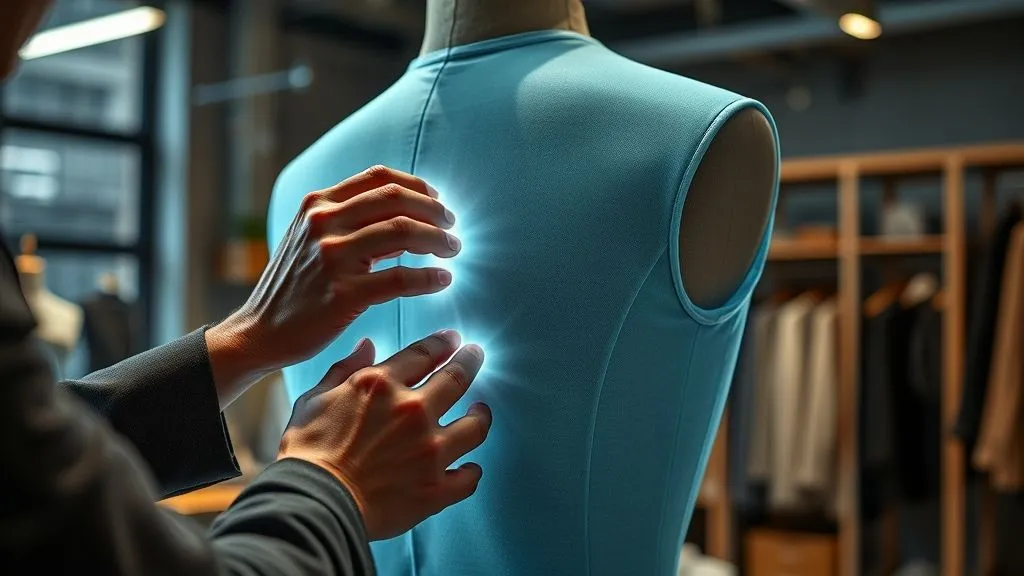
How to ensure 3D garment fit matches physical prototypes perfectly?
For over 15 years in the fashion technology space, I've witnessed a recurring, often costly, challenge: the frustrating disconnect between a beautifully rendered 3D garment and its physical counterpart. Designers pour hours into perfecting digital drapes, only to find the first physical sample presents a litany of fit issues. This isn't just a minor inconvenience; it's a drain on resources, time, and creative morale, often leading to multiple sampling rounds that erode profit margins and delay market entry.
The pain point is palpable: you invest in cutting-edge 3D design software, promising accelerated development and reduced waste, yet the elusive 'perfect match' between virtual and physical remains just out of reach. This discrepancy isn't merely aesthetic; it impacts garment functionality, consumer comfort, and ultimately, brand reputation. It's a problem that, if left unaddressed, undermines the very promise of digital transformation in fashion.
In this definitive guide, I will share the actionable frameworks, advanced techniques, and expert insights I've honed over years of working with leading fashion brands. We'll move beyond basic simulation to explore a holistic approach that guarantees your 3D garment fit matches physical prototypes perfectly. You'll learn how to establish robust workflows, leverage data, and implement rigorous validation processes that bridge the digital-physical divide, transforming your design process from iterative guesswork to precise execution.
The Foundation: Accurate Avatar & Body Scan Data
The journey to perfect fit begins long before a single stitch, digital or physical, is contemplated. It starts with the very 'body' your garment will adorn: the avatar. In my experience, neglecting the accuracy of your 3D avatar or relying on generic, off-the-shelf models is the most common pitfall I see brands make. A flawed foundation guarantees a flawed outcome.
Why Avatar Accuracy is Non-Negotiable
Think of your avatar as the digital mannequin. If your mannequin has incorrect proportions, shoulder slopes, or posture, any garment draped upon it will inherently be skewed. This foundational inaccuracy then propagates through every subsequent design and simulation step, leading to discrepancies that are incredibly difficult to correct later. Modern 3D fashion software allows for a high degree of avatar customization, but this power must be wielded with precision.
Actionable Steps for Avatar Excellence:
- Invest in 3D Body Scanning: For brands serious about fit, especially those targeting specific demographics or custom-fit solutions, 3D body scanning technology is paramount. Scans provide highly accurate, measurable data of real human bodies, capturing unique contours and postures that generic avatars miss.
- Standardize Your Avatars: Even if full body scanning isn't feasible for every project, create or purchase avatars that align with your target customer's average measurements and body types. Ensure these avatars are consistent across all design teams and projects.
- Validate Avatar Measurements: Do not trust default settings blindly. Manually verify key measurements (bust, waist, hip, inseam, arm length, shoulder width) against your brand's size charts using the software's measurement tools. Adjust as necessary to reflect your brand's specific fit block.
- Consider Posture: A static, upright avatar isn't always representative. Explore options to adjust avatar posture to simulate real-world wear, especially for activewear or garments with complex movement requirements.
"Your 3D avatar is more than just a visual representation; it's the digital embodiment of your customer. Its accuracy directly dictates the integrity of your virtual fit." - Industry Specialist Insight
I've seen companies reduce their physical sampling by over 50% simply by rigorously validating their avatars against their true customer base. This initial investment in data accuracy pays dividends by eliminating a significant source of early-stage fit errors.
Mastering Fabric Physical Properties: The Digital Soul of Your Garment
Once your avatar is perfected, the next critical element is the digital fabric. A garment's fit, drape, and movement are intrinsically linked to the physical properties of its material. If your digital fabric doesn't accurately mimic its real-world counterpart, your 3D simulation will be misleading, regardless of avatar or pattern precision.
Calibrating Digital Fabric to Real-World Materials
This is where many designers stumble. They often rely on generic fabric presets within their 3D software, which, while a good starting point, rarely capture the nuances of specific textiles. Every fabric, from a crisp cotton poplin to a fluid silk charmeuse or a stretchy athletic knit, behaves uniquely under stress, gravity, and movement. Capturing these behaviors digitally is crucial.
Key Fabric Properties for Accurate Simulation:
- Weight: Influences drape and how the fabric pulls.
- Thickness: Affects seam bulk and how layers interact.
- Stretch/Elasticity: Critical for knits and comfort fit.
- Shear: How fabric deforms when stretched diagonally.
- Bending Stiffness: Determines how fabric folds and holds shape.
- Friction: Affects how fabric slides against itself or the avatar.
Actionable Steps for Fabric Property Mastery:
- Utilize Fabric Scanners: Professional fabric scanners (e.g., from companies like Vizoo or CLO's Fabric Kit) are invaluable. They measure and digitize real fabric swatches, extracting precise physical properties and creating texture maps for hyper-realistic rendering.
- Conduct Manual Testing: If scanners aren't available, manual tests for stretch, weight, and thickness can provide approximate values. Many 3D software platforms offer guidance on how to input these values.
- Create a Digital Fabric Library: Build a comprehensive library of your commonly used fabrics, each with meticulously calibrated physical properties. This ensures consistency and efficiency across projects.
- Iterate and Compare: Always compare the digital drape and behavior to a physical swatch. Does it feel 'right'? Does it fall as expected? Adjust parameters until the visual and tactile expectations align.
According to a Deloitte report on Fashion Technology, accurate material simulation is one of the top three factors influencing the success of 3D apparel development. It's not just about looking good; it's about behaving like the real thing.

Precision Pattern Engineering: Bridging 2D to 3D Seamlessly
With accurate avatars and digital fabrics established, the next crucial step is the pattern itself. The transition from 2D pattern creation (CAD or manual) to 3D simulation is where many subtle fit issues can emerge. A perfectly drafted 2D pattern can yield a poor 3D fit if the translation or simulation parameters are incorrect.
The Art of Digital Pattern Translation
This phase demands meticulous attention to detail. Every seam, dart, pleat, and curve must be accurately represented in the 3D environment. Common pitfalls include incorrect seam allowances, mismatched seam lengths, and improperly applied grainlines. These seemingly small errors can lead to tension points, puckering, or unwanted fullness in the 3D garment, which will inevitably manifest in physical prototypes.
Critical Pattern Considerations for 3D Fit:
- Accurate Seam Allowances: Ensure seam allowances are correctly applied and consistent. Incorrect allowances can affect garment dimensions and how pieces join.
- Grainline Placement: The grainline dictates how fabric drapes. Incorrect grainline orientation in 3D is a major cause of fit issues, especially for woven fabrics.
- Notches and Internal Lines: These are crucial for assembly and alignment. Ensure they are correctly transferred and used in 3D to guide the sewing process.
- Dart & Pleat Implementation: Darts and pleats control shaping. Their accurate folding and sewing in 3D is vital for achieving the intended silhouette and fit.
- Pattern Cleanliness: Remove any unnecessary points or internal lines from your 2D pattern before importing to 3D. A 'clean' pattern translates more smoothly.
Actionable Steps for Pattern Precision:
- Standardize 2D-to-3D Import Settings: Ensure your team uses consistent import settings when bringing 2D patterns into 3D software. This minimizes variables.
- Utilize 3D Measurement Tools: After importing and sewing, use the 3D software's measurement tools to verify pattern dimensions against your original 2D pattern. Pay close attention to circumference measurements and seam lengths.
- Employ Pressure Maps: Many 3D software offer pressure maps that visually highlight areas of tension or compression on the avatar. Use these to identify tight spots or areas with excess fabric.
- Iterative Pattern Adjustments: Make small, incremental adjustments to your 2D pattern based on 3D simulation feedback. For instance, if a sleeve cap shows strain, adjust the pattern's curve or ease.
I've often advised teams to create a 'digital fit block' – a basic garment pattern that is perfectly calibrated to their standard avatar and fabric. This block then serves as a reliable starting point for all new designs, drastically reducing early-stage fit errors.
Here's an example of how initial 3D measurements might compare to physical pattern measurements, highlighting minor discrepancies:
| Pattern Component | 3D Measurement (cm) | Physical Measurement (cm) | Discrepancy (cm) |
|---|---|---|---|
| Front Bodice Length | 62.5 | 62.7 | 0.2 |
| Sleeve Circumference | 32.0 | 32.2 | 0.2 |
| Hem Width | 50.0 | 49.8 | -0.2 |
Advanced 3D Simulation Techniques: Beyond the Basic Drape
Once your avatar, fabric, and pattern are meticulously prepared, the actual 3D simulation takes center stage. However, simply hitting 'simulate' isn't enough. To achieve a perfect match with physical prototypes, you must leverage the advanced capabilities of your 3D software and understand the nuances of simulation physics.
Leveraging Advanced Software Features for Realistic Fit
Modern 3D fashion design software like CLO3D and Browzwear VStitcher are incredibly powerful, but their full potential for fit accuracy is often underutilized. It's not just about seeing a garment drape; it's about understanding why it drapes the way it does and how to manipulate those physics to your advantage.
Advanced Simulation Best Practices:
- Utilize Pressure Maps & Tension Maps: These visual overlays are your best friends for diagnosing fit issues. Pressure maps show areas where the fabric is pressing too tightly against the avatar, while tension maps highlight areas of fabric strain. Adjust patterns in response to these visual cues.
- Explore Layering & Inter-Garment Collision: If your design involves multiple layers (e.g., a jacket over a shirt), ensure your software accurately simulates the interaction between these layers. Incorrect collision settings can lead to unrealistic bulk or penetration.
- Animate for Movement: A static pose can hide fit issues that become apparent during movement. Animate your avatar through various poses (walking, sitting, raising arms) to assess how the garment behaves dynamically. This is crucial for performance wear or any garment requiring freedom of movement.
- Adjust Simulation Quality & Precision: Higher simulation quality settings, while taking longer, provide more accurate results, especially for complex drapes or intricate details. Balance this with your workflow needs, but don't compromise accuracy for speed prematurely.
- Implement Seam Taping/Topstitching: The way seams are finished can significantly impact drape and fit. Use your software's features to simulate seam taping, topstitching, or other finishing details that add structure or stiffness.
Case Study: Solstice Apparel's Fit Breakthrough
Solstice Apparel, a startup known for its innovative activewear, initially struggled with consistent fit across their sizing range. Their 3D designs looked great, but physical samples often had issues with armhole gaping or restrictive shoulder movement. By implementing advanced pressure mapping and dynamic animation during their 3D simulation phase, they discovered that their standard avatars, while accurate for static measurements, didn't fully represent the range of motion their customers experienced. They adjusted their avatar's 'movement zones' and refined pattern ease based on dynamic tension maps. This resulted in a 40% reduction in physical sample iterations and significantly improved customer satisfaction with the garment's functional fit.
"Don't just simulate to see; simulate to understand. Every wrinkle, every pull in 3D tells a story about your pattern and fabric behavior." - Expert Insight
For more detailed guidance on advanced simulation, refer to resources like CLO3D's official knowledge base or Browzwear's blog, which often share best practices for leveraging their software's full capabilities.
The Critical Role of Virtual Fitting & Feedback Loops
Even with the most precise avatars, fabrics, and patterns, the process isn't truly complete without rigorous virtual fitting and an established feedback loop. This stage is about bringing human perception into the digital realm, allowing designers, merchandisers, and even virtual models to assess fit before any fabric is cut.
Establishing a Robust Digital Review Process
Virtual fitting sessions should mimic physical fit sessions as closely as possible, but with the added advantage of instant adjustments and analytical tools. This is where cross-functional collaboration becomes paramount. It's not just the 3D designer's responsibility; pattern makers, technical designers, and even sales teams can provide valuable input.
Key Virtual Fitting Checkpoints:
- Visual Assessment: Does the garment look balanced? Are the style lines correct? Is the silhouette as intended?
- Measurement Verification: Use the 3D software to take specific measurements on the simulated garment (e.g., circumference, length) and compare them to design specifications.
- Functional Assessment (Animation): As discussed, animate the avatar through a range of motions relevant to the garment's use. Check for restriction, gaping, or unwanted tension.
- Pressure & Tension Map Analysis: Revisit these maps to confirm that areas of high pressure or tension have been resolved or are within acceptable limits.
- Compare to Previous Iterations: Use version control to compare the current 3D fit to earlier versions or established fit blocks.
Actionable Steps for Effective Virtual Fitting:
- Schedule Regular Virtual Fit Sessions: Integrate virtual fit sessions into your development calendar, treating them with the same importance as physical fittings.
- Document Feedback Systematically: Use digital tools or structured forms to record all feedback, including specific problem areas, proposed solutions, and who is responsible for implementation.
- Leverage Collaboration Tools: Many 3D software platforms offer cloud-based collaboration features, allowing multiple stakeholders to review and comment on designs simultaneously, regardless of location.
- Conduct 'Virtual Wear Tests': For critical garments, consider creating a series of poses that simulate typical wearer activities. This goes beyond basic animation to provide a more comprehensive functional assessment.
As marketing guru Seth Godin often says, "The market chooses you." In our context, the customer's body chooses your garment. Virtual fitting allows you to anticipate and address those choices digitally. For further reading on integrating digital feedback, consider insights from leading fashion tech blogs that discuss digital feedback loops in fashion development.
Physical Prototype Validation: The Acid Test
Despite all the advancements in 3D technology, the physical prototype remains the ultimate validation step. This is where the digital meets reality, and the true test of your virtual precision occurs. The goal isn't to eliminate physical samples entirely (though significant reduction is achievable) but to ensure that when you do create one, it's as close to perfect as possible, requiring minimal adjustments.
Systematic Comparison and Discrepancy Analysis
This phase is not about finding fault, but about gathering data and identifying any remaining discrepancies. Treat the physical prototype as a learning tool, a feedback mechanism to further refine your 3D workflow. A systematic approach ensures that no detail is overlooked and that lessons learned are fed back into the digital process.
Actionable Steps for Rigorous Physical Validation:
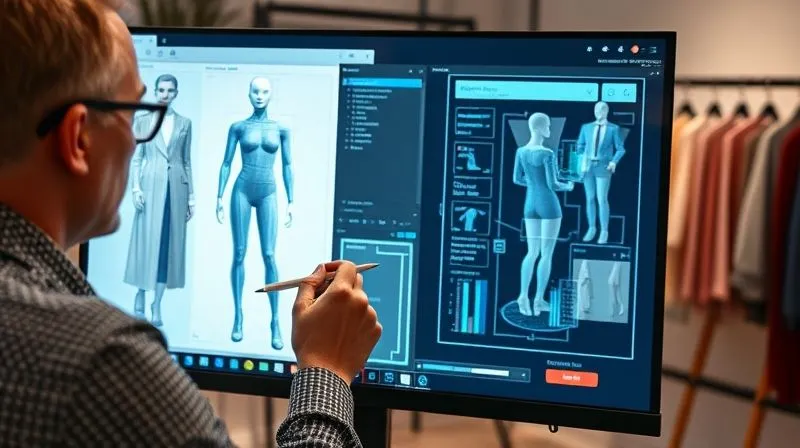
- Side-by-Side Comparison: Place the physical prototype directly alongside its 3D digital twin (on a screen or projected). Compare key style lines, proportions, and drape.
- Standardized Fit Model: Use the same fit model (or one with identical measurements) for physical fittings as was used for the 3D avatar, if possible. This minimizes variables.
- Detailed Measurement Check: Take precise measurements of the physical garment and compare them directly to the 3D garment measurements and your original specification sheet. Document every deviation.
- Wear Testing: Have the fit model move, sit, and perform actions relevant to the garment's use. Observe how the fabric behaves and identify any restrictions or discomfort.
- Photograph and Annotate: Take detailed photographs of the physical prototype on the fit model, especially highlighting any areas of concern. Annotate these photos with notes and proposed adjustments.
- Root Cause Analysis: For every discrepancy, try to trace it back to its potential source: avatar inaccuracy, fabric property miscalibration, pattern error, or simulation issue. This is critical for continuous improvement.
By treating physical validation as a data-gathering exercise rather than a pass/fail judgment, you transform it into a powerful tool for enhancing your entire 3D design process. I've guided teams who initially saw physical samples as a dreaded expense to viewing them as invaluable diagnostic tools.
Here’s a simplified example of a discrepancy log that can be used during physical validation:
| Discrepancy Area | Observed Issue | Root Cause (Hypothesis) | Proposed 3D Adjustment |
|---|---|---|---|
| Shoulder Seam Alignment | Slight forward pull on physical | Grainline orientation in 3D pattern | Adjust shoulder dart/grainline by 1-2 degrees |
| Sleeve Cap Easement | Excessive fullness at bicep on physical | Insufficient fabric stiffness value in 3D | Increase fabric stiffness parameter for sleeve/body |
| Waistband Gaping | Gap at back waist on physical | Avatar posture/body scan inaccuracy | Refine avatar waist curvature or add negative ease to waistband |
Iterative Refinement & Data-Driven Adjustments
The journey to perfect 3D garment fit is cyclical, not linear. The insights gained from physical prototype validation must be meticulously fed back into the 3D design process, leading to continuous improvement and increasingly accurate digital assets. This iterative refinement is the hallmark of a truly optimized fashion technology workflow.
Closing the Loop: From Physical Insights Back to 3D
This is where the 'learning' truly happens. Every adjustment made to a physical prototype should ideally correspond to an adjustment in the 3D file. This ensures that your digital library of patterns and fabrics becomes progressively more accurate and reliable with each iteration. It's about building a robust, self-correcting system.
Key Strategies for Iterative Refinement:
- Update Master 3D Files: Once physical fit adjustments are finalized, ensure these changes are accurately reflected and saved in your master 3D pattern and garment files.
- Refine Fabric Properties: If discrepancies were traced back to fabric behavior, adjust the digital fabric properties based on real-world observations and re-test.
- Adjust Avatar Parameters: If avatar inaccuracies were identified (e.g., a specific shoulder slope or hip curve), update your custom avatar or create a new one to reflect these nuances for future designs.
- Document Lessons Learned: Maintain a knowledge base or log of common fit issues and their resolutions. This institutional knowledge is invaluable for onboarding new team members and preventing recurring mistakes.
- A/B Testing in 3D: For persistent issues, use your 3D software to quickly A/B test different pattern adjustments or fabric property changes. This rapid iteration saves immense time compared to physical sampling.
"The most successful digital transformation isn't about eliminating human touch, but about empowering it with precise data and intelligent tools. Every physical fitting provides data points for digital mastery." - Industry Specialist Insight
By consistently closing this feedback loop, you move beyond merely creating 3D visuals to truly engineering garments in a virtual space. This systematic approach not only ensures 3D garment fit matches physical prototypes perfectly over time but also builds a highly accurate digital asset library that accelerates future development cycles and reduces waste.
Frequently Asked Questions (FAQ)
What's the most common reason for 3D fit discrepancies? In my experience, the most prevalent reason is a combination of inaccurate avatar data and poorly calibrated digital fabric properties. If your digital mannequin doesn't truly represent your customer and your digital fabric doesn't behave like its physical counterpart, even a perfect pattern will yield an inaccurate 3D fit. Addressing these foundational elements first is crucial.
How important are body scans versus standard avatars? While standard avatars can be a good starting point, 3D body scans offer unparalleled accuracy. They capture individual nuances in body shape, posture, and measurements that generic avatars simply cannot. For brands prioritizing precision, custom fit, or reducing physical samples significantly, investing in 3D body scanning technology or services is highly recommended. It significantly reduces the guesswork.
Can I really reduce physical samples significantly using these methods? Absolutely. Many brands I've worked with have reduced their physical sampling rounds from 3-5 down to 1-2, sometimes even eliminating the initial prototype entirely for simpler styles. The key is implementing a rigorous, data-driven workflow for avatar, fabric, pattern, and simulation, coupled with systematic virtual fitting and feedback loops. It requires commitment, but the ROI in terms of time, cost, and sustainability is substantial.
What 3D software features should I prioritize for fit accuracy? Beyond the basic draping, prioritize features like pressure maps, tension maps, measurement tools, dynamic animation capabilities (for movement assessment), and robust fabric property editors. Also, look for collaboration tools that facilitate virtual fit sessions and feedback documentation. The ability to easily import and export 2D patterns is also fundamental.
How do I train my team on these advanced techniques? Training is key. I recommend a multi-faceted approach: invest in formal training from software providers, create internal best practice guides and standard operating procedures (SOPs), foster a culture of continuous learning and knowledge sharing within your team, and consider bringing in expert consultants for specialized workshops. Practical, hands-on application with real-world projects is the most effective way to build proficiency.
Key Takeaways and Final Thoughts
Achieving a perfect match between your 3D garment fit and physical prototypes is no longer an aspirational dream; it's an achievable reality with the right strategies and commitment. As an experienced industry specialist, I've seen firsthand how transformative this level of precision can be for fashion businesses.
- Foundation First: Start with impeccably accurate avatars and meticulously calibrated digital fabric properties.
- Precision in Patterns: Ensure seamless 2D-to-3D pattern translation with rigorous measurement and grainline checks.
- Advanced Simulation: Leverage pressure maps, animation, and high-quality settings to diagnose and resolve fit issues digitally.
- Virtual Validation: Implement structured virtual fit sessions with robust feedback loops.
- Iterate & Learn: Systematically feed physical prototype insights back into your 3D workflow for continuous improvement.
Embracing these principles will not only streamline your development process, reduce costs, and enhance sustainability, but it will also elevate the quality and consistency of your garments. The future of fashion design is inherently digital, and mastering the art of perfect virtual-to-physical fit is your competitive edge. Start implementing these strategies today, and watch your digital designs come to life with unprecedented accuracy and confidence.
Recommended Reading
- 7 Steps to Advise Clients on Adapting Beauty for Fashion Trends
- The Avant-Garde: How Haute Couture Challenges Traditional Art Boundaries
- 6 Ways to Unmask Greenwashing in 'Cruelty-Free' Beauty Claims
- Haute Couture Tailoring: Unveiling Hidden Flaws in Meticulous Work
- 7 Reasons Comfort Shoe Designs Fail User Acceptance Tests (And How to Fix Them)



Your email address will not be published. Required fields are marked *