

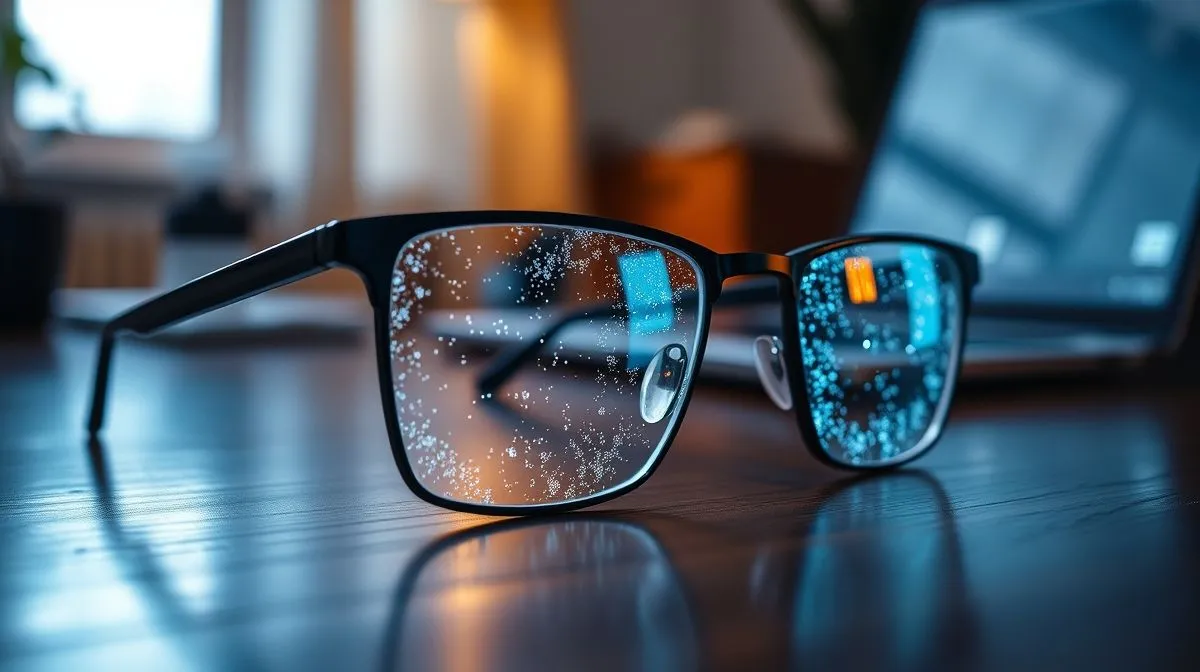
How to Choose the Best Lens Coating for Computer Use: Your Ultimate Guide to Digital Eye Comfort
Do you ever feel that familiar ache behind your eyes, the subtle blur in your vision, or the nagging headache after hours spent in front of a digital screen? You're not alone. In our increasingly digital world, where screens dominate our work, education, and leisure, our eyes are under unprecedented strain. It’s a modern dilemma that affects millions, often leading to discomfort and reduced productivity.
The core problem lies in the relentless exposure to digital light and the constant refocusing our eyes perform when interacting with screens. Glare, reflections, and specific wavelengths of light emitted by computers, tablets, and smartphones can contribute significantly to what's known as Digital Eye Strain (DES). This isn't just about minor annoyance; prolonged exposure can lead to chronic discomfort and potentially impact long-term eye health.
Fortunately, there's a powerful and often overlooked solution: specialized lens coatings. This comprehensive guide will empower you with the knowledge to understand the various lens coatings available and, crucially, teach you how to choose the best lens coating for computer use that perfectly aligns with your unique needs, ensuring optimal visual comfort and protection in the digital age.
Understanding Digital Eye Strain: The Modern Malaise
Before diving into coatings, it's vital to grasp the adversary: Digital Eye Strain (DES). It's a collective term for a group of eye and vision-related problems that result from prolonged computer, tablet, e-reader, and cell phone use. It's not a single condition but a spectrum of symptoms arising from the unique demands screens place on our visual system.
What is Digital Eye Strain (DES)?
DES, also known as Computer Vision Syndrome (CVS), is characterized by visual discomfort and fatigue experienced after sustained periods of screen time. Unlike reading a physical book, digital screens present challenges such as:
- Reduced Blink Rate: Studies show we blink significantly less when using digital devices, leading to dry eyes.
- Pixelated Images: Unlike crisp print, digital text is made of pixels, requiring more effort for our eyes to focus.
- Glare and Reflections: Screens are often sources of glare, causing eye muscles to work harder.
- Blue Light Emission: High-energy visible (HEV) blue light can contribute to discomfort and potentially disrupt sleep patterns.
Common Symptoms of DES
Recognizing the symptoms is the first step toward finding relief. Common indicators of DES include:
- Eye strain, fatigue, and soreness
- Dry, irritated, or watery eyes
- Blurred vision or difficulty focusing
- Headaches, especially around the temples or forehead
- Neck and shoulder pain (often due to poor posture compensating for visual discomfort)
- Sensitivity to light (photophobia)
Why Computer Screens Are Different
The visual demands of computer work are distinct from other tasks. Our eyes must constantly shift focus, adjust to varying contrasts, and cope with the flicker of digital displays. The typical viewing distance for a computer screen is also different from reading a book or driving, placing our eyes in a sustained intermediate focus zone. This unique combination of factors makes specialized solutions, like specific lens coatings, incredibly beneficial.
The Core Contenders: Essential Lens Coatings for Computer Use
When considering how to choose the best lens coating for computer use, you'll encounter several key players. Each coating serves a distinct purpose, and often, the most effective solution involves a combination of them. Understanding their individual benefits is crucial for making an informed decision.
Anti-Reflective (AR) Coating
Also known as anti-glare coating, AR coating is arguably the most fundamental and beneficial coating for computer users. It's a microscopically thin, multi-layered coating that eliminates reflections from the front and back surfaces of your eyeglass lenses. These reflections, whether from overhead lights, windows, or the computer screen itself, can cause significant glare and reduce visual clarity.
- Benefits:
- Reduced Glare: Significantly minimizes distracting reflections, leading to clearer vision and less eye strain.
- Enhanced Clarity: More light passes through the lens to your eye, improving visual acuity and contrast.
- Improved Aesthetics: Lenses appear almost invisible, allowing others to see your eyes more clearly.
- Night Driving: Reduces glare from headlights and streetlights, making night driving safer and more comfortable.
Blue Light Filtering Coating
This coating is designed to selectively filter out or reflect a portion of the high-energy visible (HEV) blue light emitted by digital screens and LED lighting. While blue light is a natural part of the visible spectrum and essential for regulating our sleep-wake cycles, excessive exposure, especially in the evening, can be problematic.
- Benefits:
- Reduced Eye Strain: Many users report a noticeable reduction in eye fatigue and discomfort.
- Improved Sleep Quality: By filtering blue light, especially in the hours leading up to bedtime, these coatings can help maintain natural circadian rhythms.
- Potential Retinal Protection: While long-term studies are ongoing, some research suggests a potential protective effect against retinal damage from prolonged HEV light exposure.
Anti-Glare Coating (often confused with AR, clarify)
It's important to clarify that 'anti-glare' is often used interchangeably with 'anti-reflective' (AR) coating. However, some manufacturers might differentiate slightly, with 'anti-glare' sometimes referring to a more basic surface treatment that reduces diffuse reflections, while AR coating is a more advanced, multi-layered process that virtually eliminates reflections. For practical purposes in computer use, when you hear 'anti-glare,' it almost always implies the highly effective AR coating.
UV Protection Coating
While primarily associated with outdoor sun protection, a UV protection coating is also relevant for indoor computer users. Although computer screens emit very little UV radiation, prolonged exposure to ambient UV light from windows can still be a concern. A clear UV coating on your lenses blocks harmful UVA and UVB rays, providing an added layer of protection for your eyes against potential long-term damage like cataracts and macular degeneration. It's a standard feature on many modern lenses but worth confirming.
Hydrophobic and Oleophobic Coatings (Maintenance Benefits)
These coatings don't directly impact visual comfort or protection but significantly improve the practical usability and longevity of your lenses. They are often applied on top of AR or blue light coatings.
- Hydrophobic Coating: Repels water, making water droplets bead up and roll off the lens surface, reducing smudges from water spots.
- Oleophobic Coating: Repels oil and grease, making it easier to wipe off fingerprints and smudges that accumulate from skin contact.
- Benefits: Easier cleaning, clearer vision due to fewer smudges, and potentially increased durability of the other coatings.
Deeper Dive: Blue Light – Friend or Foe?
The conversation around blue light often generates significant debate. It's crucial to understand that blue light is a natural part of the visible light spectrum, emitted by the sun, and plays a vital role in regulating our circadian rhythm, boosting alertness, and elevating mood. However, the concern arises from the artificial, concentrated sources of blue light from digital screens and LED lighting, especially at night.
The Science Behind Blue Light
Blue light has shorter wavelengths and higher energy than other colors in the visible spectrum. This high energy allows it to penetrate deeper into the eye, reaching the retina. Overexposure, particularly to the higher-energy portion of the blue-violet spectrum (around 400-450 nm), has been linked in some studies to potential retinal damage over time and can certainly disrupt melatonin production, which is essential for sleep.
When Blue Light Filtering is Most Beneficial
While the long-term health impacts are still being researched, the immediate benefits of blue light filtering for digital eye strain are widely reported by users. It can reduce glare and improve visual comfort, especially for individuals who spend extensive hours on digital devices. For those experiencing disrupted sleep patterns due to nighttime screen use, filtering blue light in the evening can be particularly effective. According to research from Harvard Health Publishing, blue light from screens can indeed suppress melatonin production, making it harder to fall asleep.
Beyond Coatings: Lens Design and Material Considerations
While coatings are paramount, the material and design of your lenses also play a significant role in your overall visual comfort, especially for computer use. A holistic approach to how to choose the best lens coating for computer use involves considering these foundational elements.
Lens Materials
The choice of lens material affects weight, thickness, and impact resistance:
- CR-39 Plastic: Standard and inexpensive, but thicker for higher prescriptions.
- Polycarbonate: Thinner, lighter, and highly impact-resistant, making them excellent for safety and children's eyewear. They also naturally block most UV light.
- Trivex: Similar to polycarbonate in impact resistance and lightness but often offers superior optical clarity.
- High-Index Plastic: The thinnest and lightest option for strong prescriptions, reducing the 'coke bottle' effect.
For computer use, lighter and thinner lenses (polycarbonate, Trivex, or high-index) are generally more comfortable for prolonged wear, reducing pressure points on your nose and ears.
Lens Design: Computer-Specific Lenses
Beyond standard single vision or progressive lenses, there are specialized lens designs optimized for computer use:
- Computer Progressive Lenses: Unlike general-purpose progressives that have zones for distance, intermediate, and near vision, computer progressives prioritize the intermediate (computer screen) and near (reading) zones. This allows for a wider, more comfortable field of view for digital tasks without requiring head tilts or awkward postures.
- Single Vision Computer Lenses: If your primary issue is intermediate vision for the computer screen, a single vision lens specifically prescribed for your working distance can provide crystal-clear focus without any distortion or need to adjust your head.
Prescription vs. Non-Prescription Options
You don't necessarily need a prescription to benefit from specialized lens coatings. Many optical retailers offer non-prescription 'computer glasses' that come pre-fitted with anti-reflective and blue light filtering coatings. These are ideal for individuals who don't require vision correction but still want to mitigate digital eye strain. However, if you experience any vision blur or discomfort, a comprehensive eye exam is always recommended to rule out underlying refractive errors.
Making Your Choice: A Step-by-Step Guide
Now that you're armed with knowledge, let's distill it into a practical guide on how to choose the best lens coating for computer use that suits your individual needs.
Assess Your Needs
Start by evaluating your daily habits and symptoms:
- Screen Time Duration: How many hours a day do you spend on digital devices? The more time, the greater the need for robust protection.
- Existing Symptoms: Do you regularly experience dry eyes, headaches, blurred vision, or neck pain after screen use?
- Working Environment: Is your office brightly lit? Do you have windows behind you causing glare?
- Night Use: Do you use screens extensively in the evenings before bed? If so, blue light filtering might be a higher priority.
Consult Your Optometrist
This is perhaps the most critical step. A qualified optometrist can perform a comprehensive eye exam, assess your visual needs, and provide personalized recommendations. They can determine if you need a specific prescription for computer use and advise on the most beneficial lens materials and coatings. Don't rely solely on online information; professional advice is invaluable.
Compare Coating Options
Based on your assessment and optometrist's advice, prioritize the coatings:
- Must-Have: An Anti-Reflective (AR) coating is almost universally beneficial for anyone using computers. It's the foundation of glare reduction.
- Highly Recommended: A Blue Light Filtering coating, especially if you experience eye strain, sleep disturbances, or spend many hours on screens, particularly at night.
- Good to Have: Hydrophobic/Oleophobic coatings for ease of cleaning and durability. UV protection is usually standard but confirm.
Consider the cost-benefit. While some coatings add to the price, the long-term comfort and potential health benefits often outweigh the initial investment.
Practical Tips for Optimal Use
Even with the best coatings, good habits enhance their effectiveness:
- The 20-20-20 Rule: Every 20 minutes, look at something 20 feet away for at least 20 seconds. This relaxes your eye muscles.
- Proper Ergonomics: Position your monitor arm's length away, with the top of the screen at or slightly below eye level.
- Adjust Screen Settings: Reduce screen brightness, adjust contrast, and enable 'night mode' or 'warm color' settings on your devices in the evening.
- Lighting: Ensure your room lighting is balanced and doesn't create glare on your screen. Avoid direct light sources reflecting off your monitor.
- Regular Eye Exams: Schedule annual comprehensive eye exams to monitor your vision and eye health. For more tips on maintaining healthy eyes while using digital devices, refer to resources from reputable organizations like the American Academy of Ophthalmology.
Common Mistakes to Avoid When Choosing Lens Coatings
Navigating the world of lens coatings can be complex. Here are some common pitfalls to avoid to ensure you make the best decision for your eye health and comfort:
Prioritizing Price Over Quality
While budget is always a consideration, opting for the cheapest coating available can be a false economy. Low-quality AR coatings, for instance, can scratch easily, peel, or show smudges more readily, diminishing their effectiveness and longevity. Invest in reputable brands and discuss the quality of coatings with your optician.
Ignoring Your Daily Habits
A common mistake is choosing a coating based on general recommendations rather than your specific lifestyle. If you spend 10+ hours a day on a computer, your needs will be different from someone who uses a screen for only an hour. Your actual screen time, the type of work you do, and your unique symptoms should drive your choices, especially when considering blue light filters.
Not Considering Comprehensive Solutions
Lens coatings are a powerful tool, but they are part of a larger strategy for digital eye health. Relying solely on a coating without addressing ergonomics, screen settings, and regular breaks is a mistake. The best approach integrates the right lens coatings with healthy digital habits and regular professional eye care.
Frequently Asked Questions (FAQ)
Do all computer glasses need a blue light coating? No, not all. While highly beneficial for many, especially those with significant nighttime screen exposure or severe digital eye strain symptoms, an anti-reflective (AR) coating is often considered more universally essential for reducing glare and improving clarity for computer use.
Can I add a coating to my existing glasses? Generally, no. Lens coatings are applied during the manufacturing process of the lens, often in a vacuum chamber. It's not a service that can be typically added to already-finished lenses. You would likely need new lenses with the desired coatings.
How do I clean lenses with special coatings? Use a microfibre cloth and a lens cleaning spray specifically designed for eyeglasses. Avoid harsh chemicals, paper towels, or clothing, as these can scratch or damage the delicate coatings. Always follow your optician's cleaning recommendations.
Are expensive coatings always better? Not necessarily, but there's often a correlation between price and quality or advanced features. More expensive coatings might offer superior durability, better light transmission, or a combination of multiple beneficial properties (e.g., AR, blue light filter, hydrophobic, and anti-static). Discuss the value proposition with your optician.
What's the difference between anti-glare and anti-reflective? In modern optical terms, these two terms are largely interchangeable and refer to the same multi-layered coating designed to eliminate reflections from the lens surfaces. While some might use 'anti-glare' for a broader concept, 'anti-reflective' is the precise technical term for the advanced coating.
Recommended Reading
- Unveiling the Science: How Performance Fabrics Master Body Temperature Control
- Fashion's Power: How Does It Empower Women at Work?
- Unlock Your Perfect Look: How Optical Shops Help Choose Stylish Eyewear
- 1950s Dresses: Which Neckline Flatters You Most? Find Out!
- The Ultimate Guide: How to Ensure Perfect Custom Bridal Gown Fit for Your Big Day
Conclusion
In an era dominated by screens, protecting our eyes is no longer a luxury but a necessity. Understanding how to choose the best lens coating for computer use is a critical step towards mitigating digital eye strain, enhancing visual comfort, and safeguarding your long-term eye health. By prioritizing high-quality anti-reflective coatings, considering the benefits of blue light filtration, and coupling these choices with ergonomic adjustments and healthy screen habits, you can transform your digital experience from one of discomfort to one of clarity and ease. Don't let digital fatigue hold you back; empower your vision and embrace a healthier relationship with your screens today.





Your email address will not be published. Required fields are marked *